🚚 Free Worldwide Shipping on All Orders!Shop Now

1 / 41
+36
RGB Docking Station
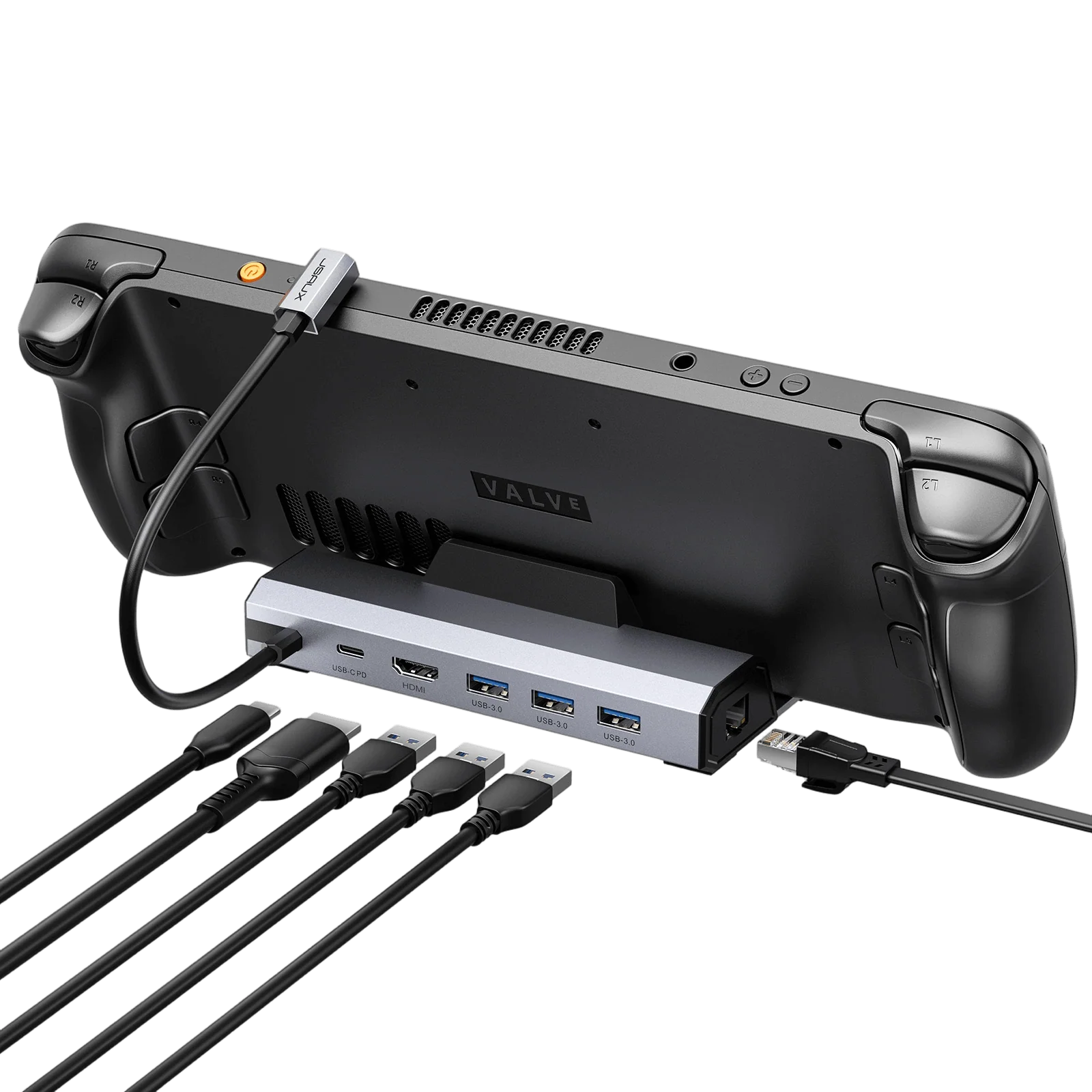
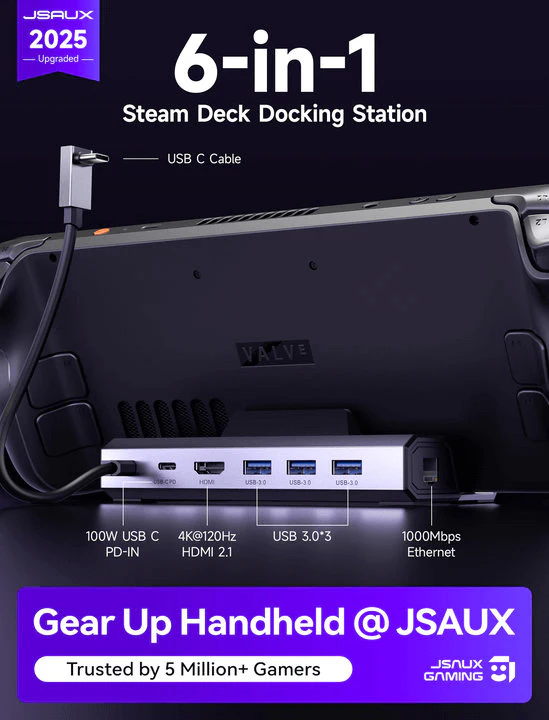
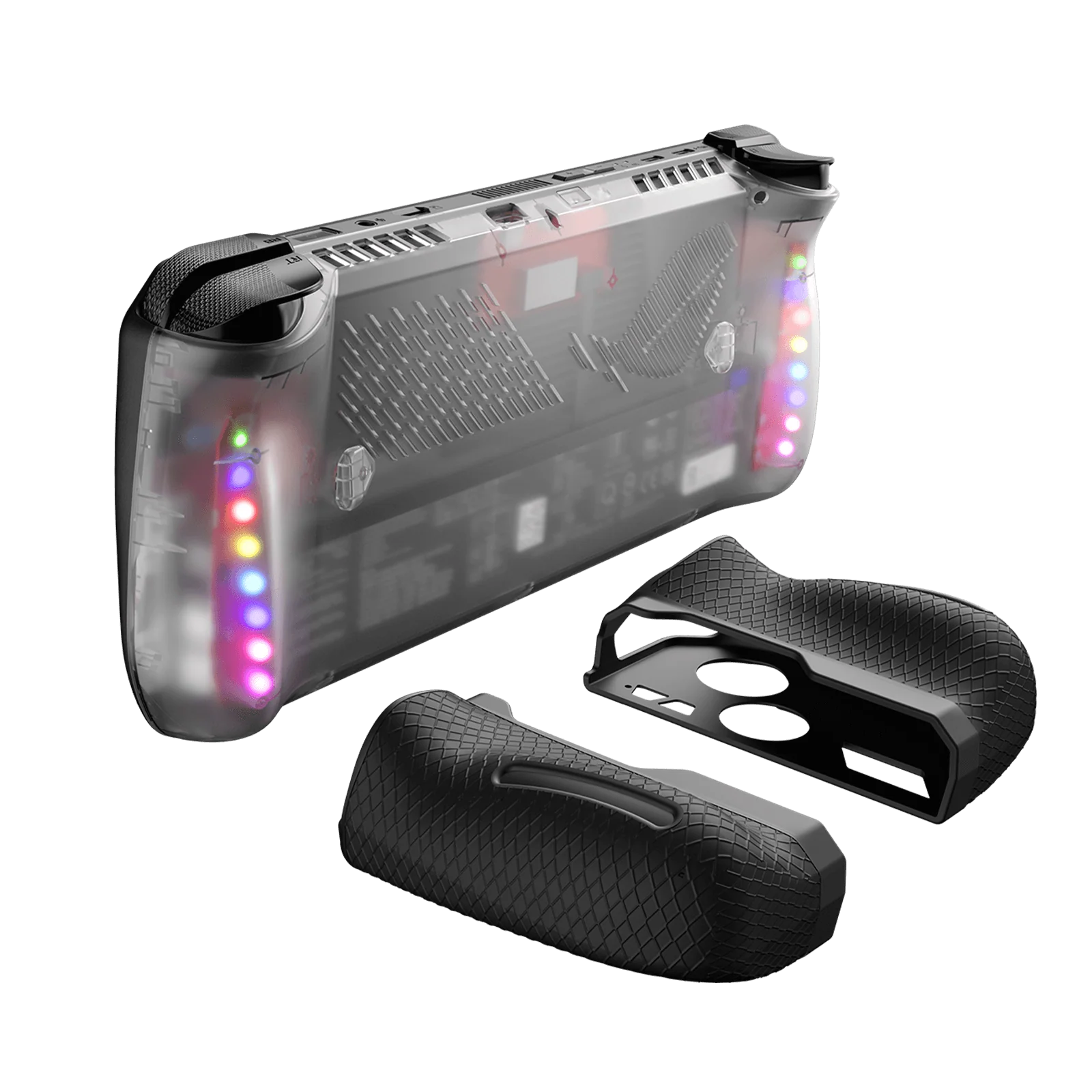
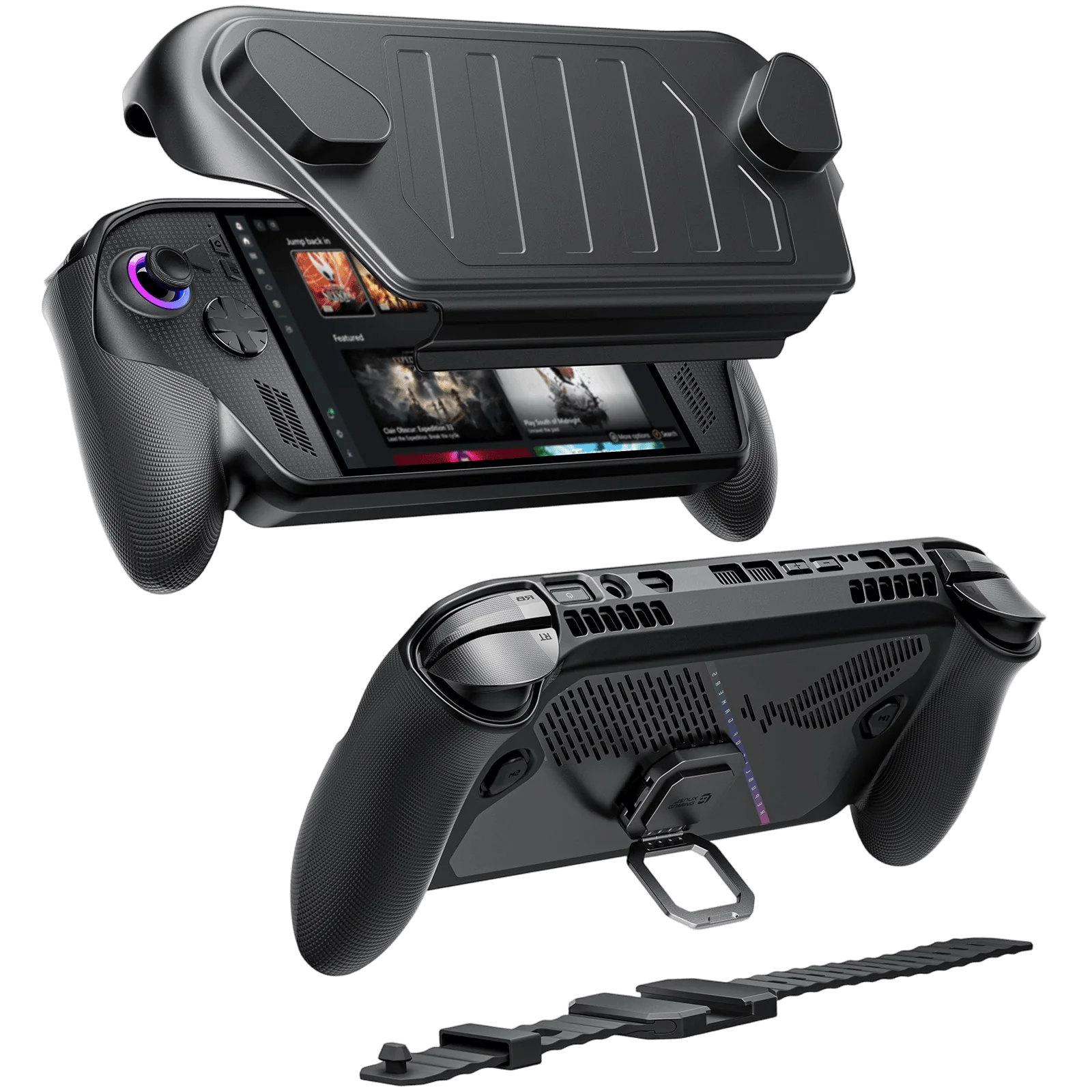
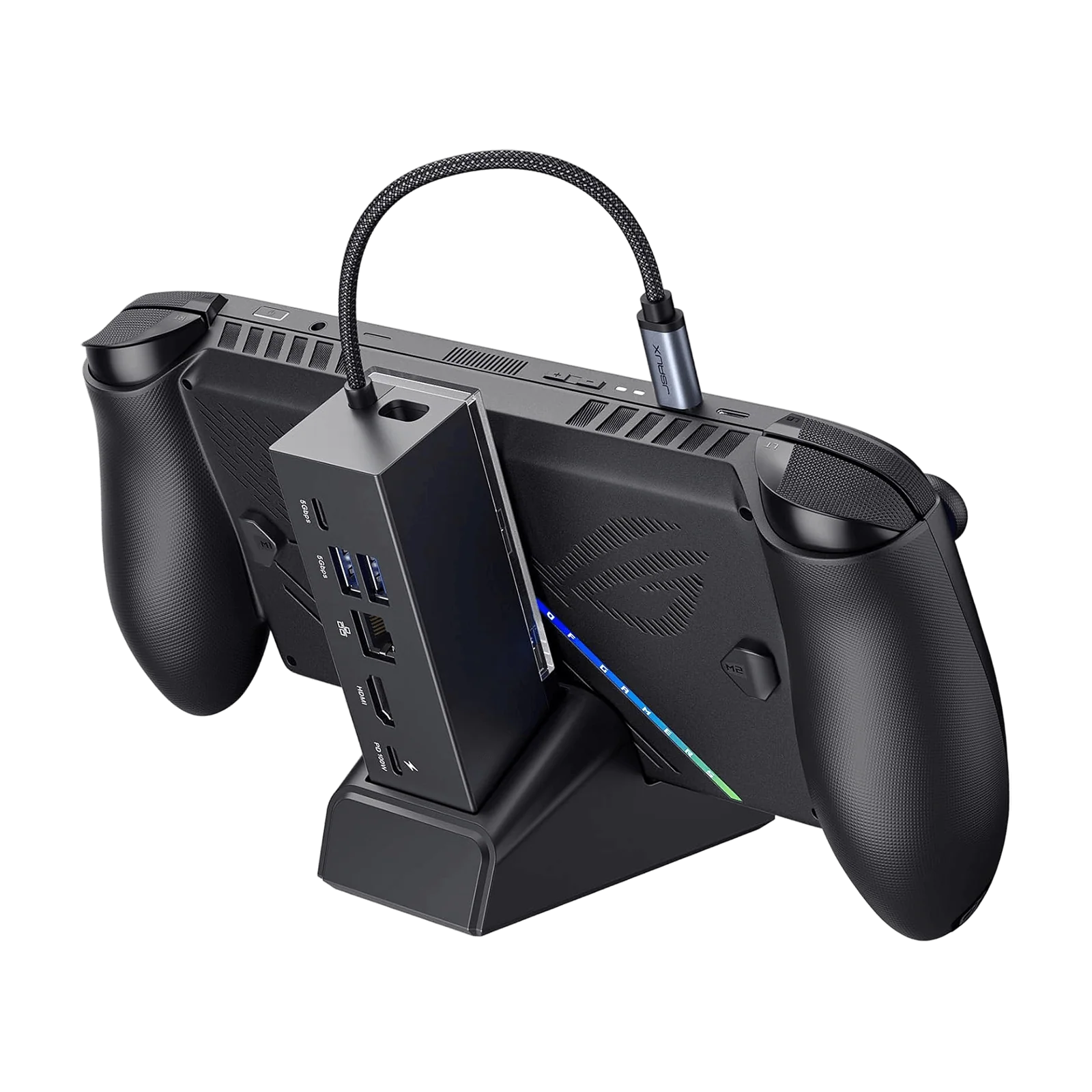
- 【RGB Gaming Docking Station for Handheld Devices】High-performance RGB docking station designed for Steam Deck, ROG Ally, Legion Go and other USB-C handhelds, available in 8-in-1 and 12-in-1 expansion configurations for different setups.
- 【Upgraded HDMI Technology】Equipped with cutting-edge HDMI technology, the upgraded dock supports Variable Refresh Rate (VRR), Auto Low Latency Mode (ALLM), and HDR to eliminate screen tearing, stuttering, and input latency. Delivering lossless visual transmission between gaming consoles and displays, it ensures ultra-smooth gameplay and immersive detail for an unrivaled gaming experience
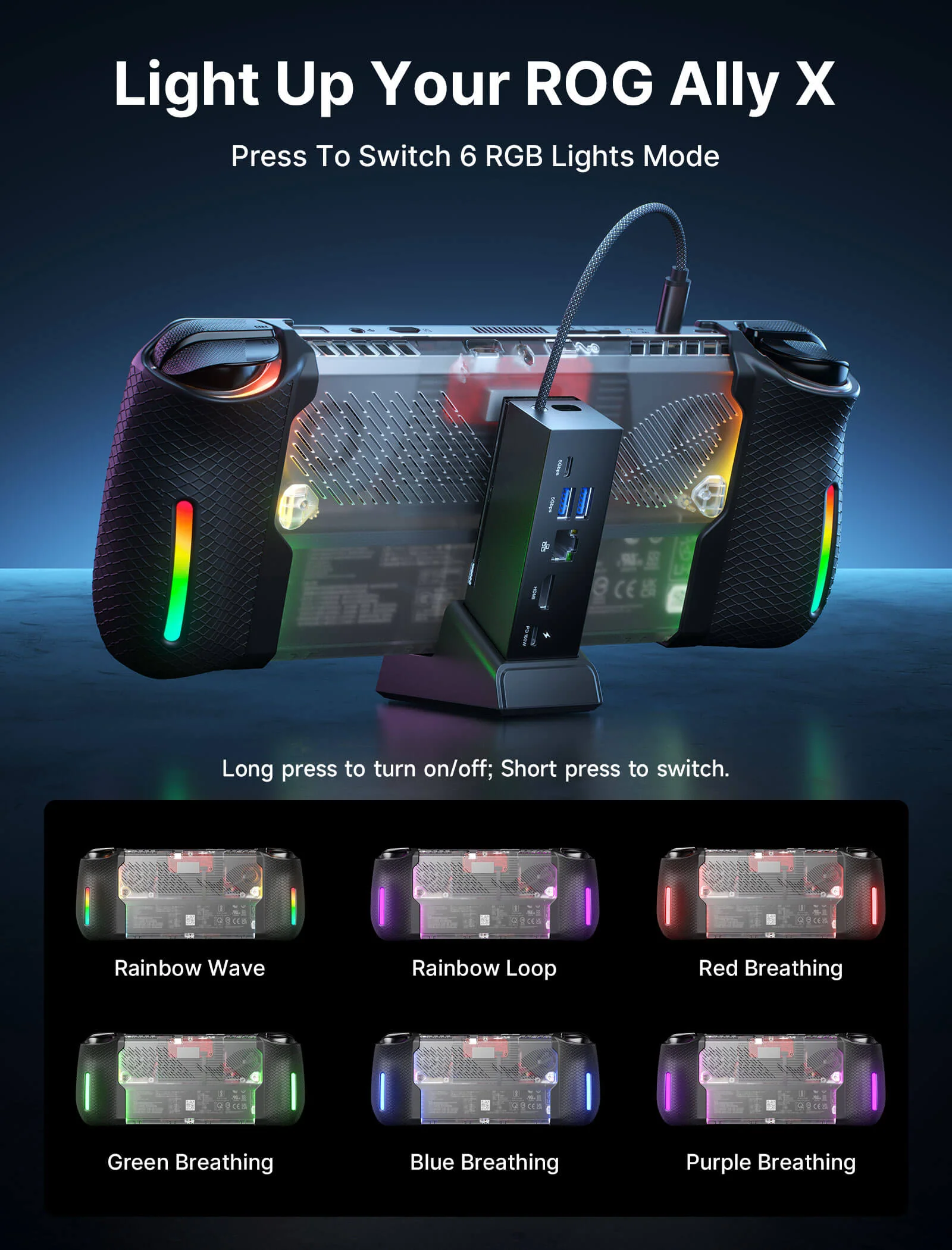
- 【Customizable RGB Lighting with OpenRGB Support】Features multiple RGB lighting modes including breathing, rainbow wave and spectrum effects, with OpenRGB software support for full PC-level customization.
- 【Ultra 4K Output and Dual Screen Display】The HDMI and DisplayPort on this docking station support 4K@120Hz for stunning visuals on HDTVs, monitors, or projectors, perfect for both work and entertainment. It facilitates dual screen display in both mirror and extend modes for Windows (A-AA, A-BB, A-BC) and mirror mode for MAC OS (A-AA, A-BB). NOTE: Dual-screen support maxes out at 4K@60Hz or 2K@120Hz.
- 【10Gbps Data Transfer & PD 100W Charging】The 12-In-1 RGB Docking Station boosts your connectivity with lightning-fast multiple ports, including 2 USB A 3.2 ports & 1 USB C 3.2 port, supporting rapid data transfers up to 10Gbps. It also features a USB C PD 3.0 port capable of delivering up to 100W for fast charging of devices like Steam Deck (OLED), ROG Ally, Legion Go, MSI Claw, tablets, laptops, and more
📢Note:
- If you need to adjust the RGB lighting effect, please go to the OpenRGB official website and download the OpenRGB 0.9
- It is recommended to use a 100W charger to better experience ROG Ally’s high-performance 30W mode.
- Open the off mode through the OpenRGB software and the entire LED will be turned off, Then turn on other modes to light up the LED; if you press the Hub touch button for 2 seconds, all modes will be turned off (you need to press and hold for two seconds to turn on the Hub light effect switch, Then you can debug other modes through OpenRGB.
- If you encounter any operational issues with your docking station, please ensure that your USB-C cable is correctly connected to the designated 'IN-USB-C' port. We highly recommend using the provided USB-C cable to establish a connection with your device to ensure optimal functionality. If you choose to use an alternative USB-C cable, please ensure that it adheres to the USB-C 3.2 standard.
- The interface labels on the docking station may differ slightly from the image, but their functionality remains the same, so there's no need for concern.
- RGB docking stations are only compatible with the bare ROG Ally X/Legion Go2/Legion Go S unit.
- 【RGB Gaming Docking Station for Handheld Devices】High-performance RGB docking station designed for Steam Deck, ROG Ally, Legion Go and other USB-C handhelds, available in 8-in-1 and 12-in-1 expansion configurations for different setups.
- 【Upgraded HDMI Technology】Equipped with cutting-edge HDMI technology, the upgraded dock supports Variable Refresh Rate (VRR), Auto Low Latency Mode (ALLM), and HDR to eliminate screen tearing, stuttering, and input latency. Delivering lossless visual transmission between gaming consoles and displays, it ensures ultra-smooth gameplay and immersive detail for an unrivaled gaming experience
- 【Customizable RGB Lighting with OpenRGB Support】Features multiple RGB lighting modes including breathing, rainbow wave and spectrum effects, with OpenRGB software support for full PC-level customization.
- 【Ultra 4K Output and Dual Screen Display】The HDMI and DisplayPort on this docking station support 4K@120Hz for stunning visuals on HDTVs, monitors, or projectors, perfect for both work and entertainment. It facilitates dual screen display in both mirror and extend modes for Windows (A-AA, A-BB, A-BC) and mirror mode for MAC OS (A-AA, A-BB). NOTE: Dual-screen support maxes out at 4K@60Hz or 2K@120Hz.
- 【10Gbps Data Transfer & PD 100W Charging】The 12-In-1 RGB Docking Station boosts your connectivity with lightning-fast multiple ports, including 2 USB A 3.2 ports & 1 USB C 3.2 port, supporting rapid data transfers up to 10Gbps. It also features a USB C PD 3.0 port capable of delivering up to 100W for fast charging of devices like Steam Deck (OLED), ROG Ally, Legion Go, MSI Claw, tablets, laptops, and more
📢Note:
- If you need to adjust the RGB lighting effect, please go to the OpenRGB official website and download the OpenRGB 0.9
- It is recommended to use a 100W charger to better experience ROG Ally’s high-performance 30W mode.
- Open the off mode through the OpenRGB software and the entire LED will be turned off, Then turn on other modes to light up the LED; if you press the Hub touch button for 2 seconds, all modes will be turned off (you need to press and hold for two seconds to turn on the Hub light effect switch, Then you can debug other modes through OpenRGB.
- If you encounter any operational issues with your docking station, please ensure that your USB-C cable is correctly connected to the designated 'IN-USB-C' port. We highly recommend using the provided USB-C cable to establish a connection with your device to ensure optimal functionality. If you choose to use an alternative USB-C cable, please ensure that it adheres to the USB-C 3.2 standard.
- The interface labels on the docking station may differ slightly from the image, but their functionality remains the same, so there's no need for concern.
- RGB docking stations are only compatible with the bare ROG Ally X/Legion Go2/Legion Go S unit.
Select Style
From $16.10
Original: $45.99
-65%RGB Docking Station—
$45.99
$16.10Description
- 【RGB Gaming Docking Station for Handheld Devices】High-performance RGB docking station designed for Steam Deck, ROG Ally, Legion Go and other USB-C handhelds, available in 8-in-1 and 12-in-1 expansion configurations for different setups.
- 【Upgraded HDMI Technology】Equipped with cutting-edge HDMI technology, the upgraded dock supports Variable Refresh Rate (VRR), Auto Low Latency Mode (ALLM), and HDR to eliminate screen tearing, stuttering, and input latency. Delivering lossless visual transmission between gaming consoles and displays, it ensures ultra-smooth gameplay and immersive detail for an unrivaled gaming experience
- 【Customizable RGB Lighting with OpenRGB Support】Features multiple RGB lighting modes including breathing, rainbow wave and spectrum effects, with OpenRGB software support for full PC-level customization.
- 【Ultra 4K Output and Dual Screen Display】The HDMI and DisplayPort on this docking station support 4K@120Hz for stunning visuals on HDTVs, monitors, or projectors, perfect for both work and entertainment. It facilitates dual screen display in both mirror and extend modes for Windows (A-AA, A-BB, A-BC) and mirror mode for MAC OS (A-AA, A-BB). NOTE: Dual-screen support maxes out at 4K@60Hz or 2K@120Hz.
- 【10Gbps Data Transfer & PD 100W Charging】The 12-In-1 RGB Docking Station boosts your connectivity with lightning-fast multiple ports, including 2 USB A 3.2 ports & 1 USB C 3.2 port, supporting rapid data transfers up to 10Gbps. It also features a USB C PD 3.0 port capable of delivering up to 100W for fast charging of devices like Steam Deck (OLED), ROG Ally, Legion Go, MSI Claw, tablets, laptops, and more
📢Note:
- If you need to adjust the RGB lighting effect, please go to the OpenRGB official website and download the OpenRGB 0.9
- It is recommended to use a 100W charger to better experience ROG Ally’s high-performance 30W mode.
- Open the off mode through the OpenRGB software and the entire LED will be turned off, Then turn on other modes to light up the LED; if you press the Hub touch button for 2 seconds, all modes will be turned off (you need to press and hold for two seconds to turn on the Hub light effect switch, Then you can debug other modes through OpenRGB.
- If you encounter any operational issues with your docking station, please ensure that your USB-C cable is correctly connected to the designated 'IN-USB-C' port. We highly recommend using the provided USB-C cable to establish a connection with your device to ensure optimal functionality. If you choose to use an alternative USB-C cable, please ensure that it adheres to the USB-C 3.2 standard.
- The interface labels on the docking station may differ slightly from the image, but their functionality remains the same, so there's no need for concern.
- RGB docking stations are only compatible with the bare ROG Ally X/Legion Go2/Legion Go S unit.